Control institutional AI.
Protect institutional data.
TekuBase AI Guard gives institutions one controlled environment
for AI policy enforcement, managed endpoint governance,
protected AI usage, and verifiable security evidence.
Policy enforcementControl approved, monitored, and restricted AI use.
Managed devicesGovern institutional endpoints from one control plane.
Protected dataApply safeguards before sensitive information reaches AI services.
Verifiable evidenceMaintain accountable, integrity-checked operational records.
✓
Controlled institutional access
Operator identity, role, institution scope, session validity,
and privileged-access requirements are verified before the
protected console becomes available.
PROTECTED OPERATOR CONSOLE
Secure operator sign in
Use an approved institutional operator account to access
the protected AI Guard console.
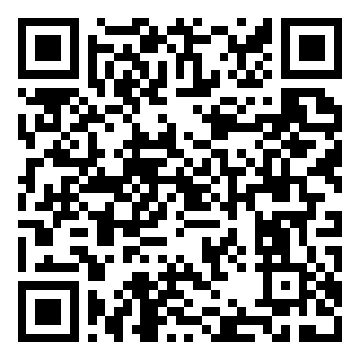
Set up multi-factor authentication
Privileged operators must protect their account with an authenticator app before the console can open.
Open Microsoft Authenticator, Google Authenticator, or another TOTP authenticator.
Add an account using a setup key.
Account:
Setup key:
Enter the current 6-digit code below.
Multi-factor verification
Enter the current code from your authenticator app to complete secure sign in.
Authentication required.
This console is restricted to authorized institutional operators.
Public self-registration is not available.
AI use control, upload protection, and audit evidence for institutions.
Register institutions, generate secure deployment kits, inspect AI use, and export audit evidence without storing raw sensitive content.
Loading system status...
Command Ledger
Ready to refresh.
Loading...
Create institution
No institution action yet.
Invite the first institution administrator
Create the institution workspace first, then send password-setup instructions to its verified administrator. Public self-signup remains disabled.
No administrator invitation sent.
AI Tool Registry
The approved inventory for websites, desktop applications, local model runners, APIs, and browser extensions.
Tool
Type
Decision
Coverage
Refresh the registry to load tools.
Technical result
No registry action yet.
Discovery Queue
New websites and applications reported automatically by managed browsers, endpoints, gateways, DNS, proxies, and firewalls.
Default action: an unknown AI destination is blocked and held for review. Only destination and application metadata is stored.
Discovered item
Source
Status
Action
No discoveries loaded.
Review selected discovery
Controlled discovery simulator
Use synthetic metadata only. Managed devices normally report this automatically.
Technical result
No discovery action yet.
Managed Devices
Enroll institution computers and monitor Browser Guard, Endpoint Agent, application discovery, and policy status.
One-time enrollment secret
Copy it directly into the approved device configuration. It cannot be displayed again and is never stored in raw form.
Device
Site / group
Platform
Access
Connection
Action
No managed devices loaded.
Selected device control
Replacement device credential
Install it directly on the selected device. It is shown once and is never stored in raw form.
Technical result
No device action yet.
Fleet Management
Organize institution sites and device groups, then issue short-lived enrollment campaigns for controlled bulk installation.
Unique device identity: a campaign authorization is temporary and usage-limited. Every computer exchanges it once for its own revocable credential.
1. Institution site
2. Device group
3. Deploy Computers
Uses the institution, site / branch, and device group selected above. Generate a controlled Windows Enterprise deployment package without embedding reusable enrollment secrets or changing any existing enrolled computer.
No endpoint change: generating this ZIP does not enroll a computer, create an enrollment campaign, rotate a credential, execute arbitrary PowerShell, or replace an existing endpoint identity.
Deployment package result
No Enterprise deployment package generated in this session.
4. Enrollment campaign
One-time campaign authorization
Use only in the approved deployment system. Revoke it after rollout. The raw value cannot be displayed again.
Campaign
Scope
Usage
Expires
Status
Action
No enrollment campaigns loaded.
5. Central device actions
Safe remote administration: choose a site, group, selected devices, or every matching device. Endpoints accept predefined actions only - arbitrary PowerShell and raw credentials are never sent.
Select
Device
Site / group
Connection
Refresh fleet to load devices.
Action
Scope
Progress
Status
Approval
No central actions loaded.
Technical result
No fleet action yet.
Policy Control
Review the currently effective policy and the status of saved drafts. Saving a draft never changes endpoint enforcement until the controlled release is independently approved.
Policy lifecycle: Save scoped draft → review draft → request release approval → independent second-person approval → effective policy. The published/default policy stays active until approval completes.
Effective policyNot checkedPreview to load the currently enforced policy.
Pending draftsNot checkedDrafts remain inactive until a release is independently approved.
Unknown AIBlock and review
External uploadsInspect all destinations
Raw sensitive storageDisabled
Effective policy and draft details
Preview the effective policy and saved draft status.
Production Controls
Institution-scoped capacity, cost, monitoring, policy hierarchy, signed releases, and staged rollouts.
Policy isolation: national baseline -> institution -> site -> device group -> endpoint. The most restrictive applicable control wins unless an independently approved exception exists.
Monitoring, cost, branch readiness, and controls
Refresh production status to load exact aggregate counts and institution-attributed consumption.
Institution limits and cost controls
Changes require an independent approver. Values are enforced by the control-plane API, not only displayed in the browser.
Institution policy hierarchy
Draft workflow: Save scoped draft stores an inactive draft only. Use Request policy release when the draft is ready for review; a different authorized approver must approve it before it becomes effective. Site/group fields are used only for their matching scope.
Draft status: No draft action yet.
Signed agent release and staged rollout
No production action yet.
Institution Deployment Center
Download the complete institution-specific 3.2.7 Windows bootstrap runtime. After an endpoint is enrolled on 3.2.6 or later, approved agent/gateway/Browser Guard runtime updates are delivered through Fleet Management without re-enrollment or another full institution kit.
Enrollment remains separate: first generate this reusable package, then create a short-lived campaign in Fleet Management. The displayed-once campaign token is never embedded in the ZIP.
No deployment kit generated in this session.
Operator access
Allowlist, invite, and manage operators using controlled institution-scoped roles.
No operator action yet.
Approvals
Request
Subject
Status
Action
Refresh approvals to load requests.
Record a decision
No approval action yet.
Incidents
No incident action yet.
Prompt Guard
No prompt inspected yet.
Document Upload Guard
Managed browsers detect the destination automatically. Operators do not maintain URLs during normal use.
Automatic coverage: every available external file selection is paused and inspected before the destination page receives it. Some external services disable attachments for signed-out or restricted accounts; use this controlled simulator when their file picker is unavailable.
No upload inspected yet.
Developer Guard
No code scanned yet.
Evidence Export
No evidence action yet.
National Readiness
Track six production gates with checksum-bound evidence. Implementation is not an external certification.
Evidence boundary: references, outcomes, and SHA-256 checksums only. No reports, credentials, or raw institutional content are stored.
Safety boundary: operational suspension blocks human access and revokes human sessions; endpoint security enforcement and institutional evidence are retained.
Projection not loaded.
Institutions
Commercial
Operations
Institution directory
Institution
Access / lifecycle
Licence / payment
Endpoints
Administrator
Action
Load the directory.
Controlled lifecycle actions
Run impact preview before an operational state change.
Time
Event
Transition
Reason
Open an institution.
Operators and access
No operator selected.
Invitations
Email
Role
Status
Expires
Action
Open an institution.
Licensing and renewals
No licence action yet.
Institution
Renewal
Licence
Payment
Load a renewal queue.
Offline payment records
Date
Entry
Amount
Reference
Status
Action
Open an institution.
Institution notices
Notice
Priority
Recipients
Status
Action
Open an institution.
Help Center
Choose the page you are working on. Each guide explains who may use it, exactly what to click, what success looks like, and what to check when it fails.
New institution? Follow this order:
Institution Setup
Operator Access
AI Tool Registry and Discovery Queue
Fleet Management
Policy Control
Deployment Center
Managed Devices
Evidence
Command Ledger System status and tamper-evident activity
Use: Operators and auditors. Start here each day.
Select Command Ledger.
Press Refresh.
Confirm the counts, then confirm Audit chain: PASS.
Review the newest events in the technical result.
Success: A current refresh time, expected counts, and PASS. If unchanged: wait for the action to complete, refresh once, and check sign-in/network status. A refresh does not create an event.
Institution Setup Create a workspace before inviting users
Use: National operator only.
Enter a stable lowercase Institution ID; do not use a person's name.
Enter the official institution name and approved region.
Create the workspace.
Invite its verified administrator using an official email address.
Success: the institution appears in scope and the administrator receives password-setup instructions. Public self-signup is intentionally disabled. Never share temporary credentials by chat.
Platform Administration Commercial and institution lifecycle control
Use: National operators only after the feature is accepted and enabled.
Search and open the institution.
Refresh state before every write and preserve the displayed version.
For suspension/reactivation, run impact preview, verify a distinct approved request, enter a reason/reference, and type the institution ID.
Use append-only corrections for payments and never delete lifecycle or audit evidence.
Success: the changed state, lifecycle event, and audit hash agree. Commercial expiry never deletes institution data or disables endpoint security enforcement.
AI Tool Registry Define approved, monitored, and blocked tools
Use: Institution administrator or security officer.
Search the registry before adding a duplicate.
Enter the canonical tool ID/name and reliable domain, executable, publisher, or package indicators.
Choose Approve, Monitor, Block, or Review required.
Save; complete independent approval when requested.
Success: one unambiguous registry row with the intended decision. Saving does not activate endpoints until a policy release is published.
Discovery Queue Review unknown AI destinations and applications
Use: Security officer.
Refresh discoveries and select Review on one pending item.
Verify the domain, executable, publisher, package, and source.
Choose Approve, Monitor, or Block and add a defensible reason.
Complete second-person approval if required, then publish policy.
Success: status becomes complete and the registry contains the tool. Unknown AI remains blocked and held for review; metadata only is stored.
Managed Devices Check identity, access, agent version, and connection
Use: Institution IT and security.
Refresh devices.
Confirm the device is ACTIVE and ONLINE with the expected site/group and agent version.
Select a device only for individual disable/enable or controlled recovery.
Use Fleet Management for health checks, rotation, updates, rollback, and bulk work.
Statuses: NEVER_CONNECTED means no heartbeat; STALE means the last heartbeat is old; DISABLED means cloud access is revoked. Do not rotate manually when automatic fleet rotation is available.
Fleet Management Sites, groups, campaigns, and central actions
Use: Institution IT; security approval for high-impact work.
Create a site, then a device group.
Create a short-lived campaign with capacity matching the rollout batch.
Deploy the verified enterprise package with Intune, Group Policy, or approved endpoint management; every computer exchanges the campaign authorization once for its own identity.
Revoke the campaign after enrollment.
For operations, select a scope/action, use a maintenance window, create the controlled action, and refresh progress.
Success: enrolled devices become ONLINE and jobs reach COMPLETED. Multi-device update, rollback, disable, uninstall, and rotation require an independent approver. Endpoints never accept arbitrary remote PowerShell.
Policy Control Preview and publish the effective enforcement policy
Use: Institution administrator/security officer.
Enter the institution ID and preview the effective policy.
Confirm approved, blocked, and monitored counts plus raw sensitive storage Disabled.
Resolve pending approvals or discoveries.
Publish a numbered policy release.
Verify managed devices receive the new release.
Success: a new active version with an audit hash. Preview is read-only; publish is the step that makes registry decisions deployable.
Operator Access Invite people with least-privilege roles
Use: National or authorized institution administrator.
Choose the narrowest role and institution scope.
Use the person's verified official email.
Send the invitation/password-setup email.
Ask the user to sign in and verify only their assigned scope.
Recovery: use Forgot password; responses intentionally do not disclose whether an account exists. Never create shared operator accounts.
Approvals Independent review for high-impact decisions
Use: A different authorized security officer - not the requester.
Refresh and select the pending request.
Verify subject, action, device count, scope, justification, and maintenance window.
Choose Approve or Reject and enter a specific summary.
Record the decision, then verify the linked job or tool status.
Success: the request and linked operation show the same final state. Never approve only because the requester is waiting.
Incidents Record, assign, and close security cases
Use: Security operations.
Create an incident from verified metadata; do not paste raw prompts or documents.
Set severity, owner, and containment state.
Link relevant audit/event identifiers.
Record remediation evidence before closure.
Success: accountable owner, timestamps, linked evidence, and a justified final status. Disable affected devices when compromise is suspected.
Deployment Center Generate verified institution installation kits
Use: Authorized deployment operator.
Select the institution and generate its deployment kit.
Download the ZIP and record its SHA-256 separately.
Verify integrity before installation.
For production, sign scripts/MSI with the organization's trusted code-signing certificate.
Distribute through Intune, Group Policy, or approved endpoint management.
Safety: packages must not contain campaign tokens, device credentials, signing keys, PINs, or passwords. Pilot unsigned packages require checksum verification; production packages should be signed and timestamped.
Prompt Guard Inspect text before it reaches an AI service
Use: Security testing and controlled troubleshooting.
Use synthetic text only.
Select the correct institution/user/destination context.
Run inspection and read decision, classification, and reason.
Confirm an audit event exists without raw prompt storage.
Expected: public content follows tool policy; credentials, identity references, and restricted data are blocked. Do not use the simulator to process real confidential data.
Upload Guard Inspect file metadata/content before external upload
Use: Security testing and managed Browser Guard.
Use a controlled synthetic test file.
Choose the destination and classification context.
Inspect before upload.
Verify restricted content is blocked and the audit record contains no raw file.
Troubleshooting: a website's own Add files button may require login; that is separate from AIGuard. Browser Guard pauses HTTPS uploads and applies policy when an upload is attempted.
Developer Guard Prevent unsafe code and secrets from leaving the institution
Use: Developers and security reviewers.
Use synthetic code in testing.
Inspect the intended AI destination and code snippet.
Review detected secrets/unsafe patterns and the allow/block decision.
Remove or rotate exposed credentials before retrying.
Safety: never paste production keys, tokens, citizen data, or proprietary source merely to test detection.
Evidence Export verifiable audit material
Use: Auditor or authorized operator.
Choose the institution and approved date/scope.
Verify Audit chain PASS before export.
Generate and download the evidence ZIP.
Record the checksum and store the package in the approved evidence repository.
Success: downloadable metadata/evidence with verifiable hashes and no raw prompts, files, code, passwords, or credentials. Do not delete historical events to clean the dashboard.
Frequently asked questions
Short answers for the questions operators and institution IT teams are most likely to ask.
Why can't an institution sign itself up?
Public self-signup is disabled to prevent unverified organizations from creating trusted workspaces. A national operator creates the institution and invites a verified administrator.
Does "Institutions 3" mean one institution owns three others?
No. It is the number of institution workspaces visible to the signed-in operator. National operators can see several; institution-scoped users see only their assigned IDs.
How do we install AIGuard on 500 computers?
Create sites and groups, build and verify the enterprise package, then deploy it in staged batches through Intune, Group Policy, or equivalent endpoint management. A limited campaign authorizes enrollment, but every computer receives its own unique revocable credential.
Do IT staff paste a credential on every computer?
No. The one-time campaign authorization is supplied securely by the deployment system. Each endpoint exchanges it once, protects its own device credential with Windows DPAPI, and never returns the raw value to the dashboard.
What do ONLINE, STALE, NEVER_CONNECTED, and DISABLED mean?
ONLINE recently sent a heartbeat. STALE connected before but is overdue. NEVER_CONNECTED enrolled but has not sent its first heartbeat. DISABLED has had cloud access revoked by an operator.
Why did Refresh appear to do nothing?
Refresh reads current cloud state; it does not create a new event. Watch the "Last refreshed" message, confirm you are signed in, then wait for the device or approval operation and refresh once more.
Why is a tool still blocked after I approved it?
The discovery decision may still need an independent approval, and the effective policy must be published. Then the endpoint must refresh its policy. Check Approvals, Policy Control, and the device heartbeat in that order.
Why can't I approve my own request?
High-impact actions use two-person control. The requester must not be the reviewer. A different authorized security officer verifies the scope and records Approve or Reject.
Can central IT run any PowerShell command remotely?
No. Endpoints accept only predefined, schema-validated AIGuard actions such as health check, policy refresh, rotation, update, rollback, disable, and uninstall. Arbitrary remote commands and raw credentials are intentionally rejected.
Should we use Rotate device credential manually?
Normally no. Use Fleet Management's automatic rotation. Manual rotation is a controlled recovery path only when the endpoint cannot authenticate and requires securely applying a replacement locally.
Why does an upload or prompt get blocked on a monitored tool?
The tool decision and content decision are separate. Monitoring can allow ordinary public content while DLP still blocks credentials, identity references, restricted documents, secrets, or unsafe code.
Does AIGuard store our prompts and files?
No raw sensitive prompt, document, code, password, token, or credential content is stored. The ledger keeps controlled metadata such as decision, classification, actor, timestamps, hashes, and audit-chain links.
Can we use an unsigned package?
A checksum-verified unsigned package is acceptable only for a controlled pilot under your security process. Production distribution should use an organization-validated code-signing certificate, trusted timestamping, and signature verification.
What should we do if a laptop is lost?
Select the device in Managed Devices and disable it centrally. Investigate and preserve evidence. If recovered and trusted, follow the authorized recovery process; do not simply create a duplicate identity.
Where should I start when something fails?
Check Command Ledger, the page's Technical result, Managed Devices connection status, pending Approvals, active Policy version, and Incidents. Record exact IDs and error messages - never send secrets or raw institutional data to support.
Governance and rollout reference
Follow this guide in order for a controlled institution rollout. Public self-signup is disabled: every institution, operator, device, policy, and high-impact action remains inside an approved administrative workflow.
A national operator creates the institution workspace first, then invites its verified administrator. The administrator receives password-setup instructions directly by email; AIGuard never stores a password or reset link.
Open Institution Setup and use a stable institution ID.
Invite the institution administrator at an official, verified email address.
Use Forgot password for recovery; the response does not reveal whether an account exists.
2. Assign the correct role
The number shown at the top is the count of institution workspaces in scope. It does not mean one institution owns another. A national operator may administer several institutions; institution roles see only their assigned institution IDs.
National operator: cross-institution control and onboarding.
Institution administrator: sites, groups, devices, and operators in its institution.
Security officer: reviews tools, incidents, approvals, policies, and fleet actions.
Auditor/developer reviewer: read or specialist review access only.
3. Register AI policy
Unknown destinations are blocked and held for review. Managed browsers, endpoints, gateways, DNS, proxies, and firewalls report destination and application metadata automatically.
Review discoveries as Approve, Monitor, or Block.
New approvals require an independent second reviewer.
Publish a numbered policy release after approved changes.
4. Organize the computer fleet
Create sites and device groups before enrollment - for example, head office, branch, data center, staff computers, security workstations, or developer devices.
1 computer: controlled PowerShell installation is acceptable for a pilot.
Up to 50: use a limited campaign with Group Policy or approved IT deployment.
Hundreds: use Intune or equivalent endpoint management with staged groups.
Every computer exchanges campaign authorization once for its own revocable identity.
5. Deploy safely at scale
Create a short-lived, capacity-limited enrollment campaign for one site and group. Keep its authorization outside MSI properties, source control, email, browser storage, and shared folders.
Begin with a small pilot and verify ONLINE heartbeats.
Roll out in batches using the provided Intune, Group Policy, or PowerShell profiles.
Revoke the campaign after the expected enrollment count is reached.
Browser Guard is distributed through managed Chrome/Edge enterprise policy.
6. Operate devices centrally
IT can target checked devices, a group, a site, or all matching institution devices. Selection scope applies to the filtered target, not only a convenient manual copy-and-paste workflow.
Available actions are health check, policy refresh, restart, automatic credential rotation, staged update, rollback, disable, and controlled uninstall.
Endpoints accept predefined, schema-validated actions only - never arbitrary remote PowerShell.
Offline devices receive unexpired queued work when they reconnect.
Use maintenance windows, small batches, progress refresh, pause/retry procedures, and rollback evidence.
7. Approve high-impact actions
Multi-device credential rotation, update, rollback, disable, and uninstall require two-person control. The requester cannot approve or reject their own request.
A second security officer reviews the action, scope, count, and maintenance window.
Rejected jobs remain at zero progress and never reach endpoints.
Approval and job outcomes are appended to the audit chain.
8. Rotate credentials automatically
The endpoint generates the replacement locally, sends only its SHA-256 verifier to the control plane, and protects the raw value with Windows DPAPI LocalMachine.
Administrators never view, copy, email, or paste the replacement.
Verify the job reaches COMPLETED and the device remains ONLINE.
Manual rotation is reserved for controlled recovery only.
9. Inspect AI use and evidence
Prompt Guard, Upload Guard, and Developer Guard classify content before external AI use. The ledger retains decisions, classifications, hashes, actors, and chain links - not raw prompts, files, code, passwords, or credentials.
Verify the audit chain after material operations.
Export evidence for internal audit, INSA readiness, management, and regulator review.
Use synthetic data for acceptance tests.
10. Sign production releases
Controlled pilots may use checksum-verified unsigned packages. Production distribution should use an organization-validated code-signing certificate issued to BookAddis Technology PLC.
Prefer a trusted hardware token or managed cloud-signing service.
Keep the private key non-exportable; never send the key, PIN, or password through chat, email, ZIP, source control, or AIGuard.
Run signing-readiness, sign PowerShell/MSI artifacts, timestamp signatures, and verify signatures before publishing.
11. Update, recover, and revoke
Use only integrity-verified enterprise bundles. The transactional updater backs up the current runtime, preserves device identity, checks health, and restores the backup if validation fails.
Use rollback only through an approved maintenance action.
Disable a lost or retired device centrally before local uninstall.
Rotate a suspected credential automatically; use manual recovery only when the endpoint cannot authenticate.
Never delete audit history to make a dashboard look clean.
12. Daily operator routine
Keep operations short and repeatable.
Review offline/stale devices and pending discoveries.
Review pending approvals and incidents.
Confirm policy release and fleet-job progress.
Verify the audit chain and export scheduled evidence.
Investigate repeated failures before retrying an action.
Operational rollout checklist
Step
Owner
Output
Approve operating scope
Executive sponsor + security office
Institution, users, risk scope, and success criteria
Create workspace
National or institution operator
Institution record and policy context
Invite administrator
National operator
Verified institution account with scoped role
Define sites and groups
Institution IT
Approved fleet topology and rollout scope
Generate kit
AIGuard operator
Integrity-verified ZIP, SHA-256, and installation guide
Allowed public prompt, blocked restricted upload, blocked risky code
Test central operations
IT + second approver
Health, rotation, rejection, reboot, and rollback evidence
Export evidence
Auditor/operator
Evidence ZIP and verified audit chain
Security rule: Do not email enrollment authorizations, credentials, signing keys, PINs, or certificate passwords. Do not upload real citizen, customer, credential, or confidential data during first validation. Use controlled synthetic data until the institution security office approves production traffic.